GT验证码(关注参数即可)
本模块支持多种 Geetest 验证码类型的识别, 只需关注各类型的输入参数格式与识别效果.
注意:本模块仅提供 Geetest 验证码的识别功能.
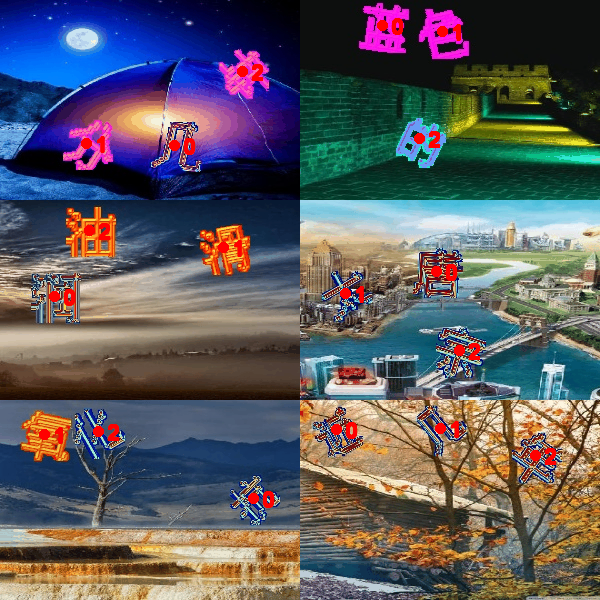
文字点选
decode_captcha(
    bg: Union[str, Path, Image, ndarray, bytes],
    show: bool = True,
) -> tuple[str, Optional[Image.Image]]
解码 geetest3 文字点击验证码, 根据图片内容,自动检测点击点
Parameters:
| Name | Type | Description | Default |
|---|---|---|---|
bg
|
Union[str, Path, Image, ndarray, bytes]
|
背景图片路径或PIL图像对象 (底图) |
required |
show
|
bool
|
是否返回可视化图像。默认为 True。 |
True
|
Returns:
| Type | Description |
|---|---|
tuple[str, Optional[Image]]
|
返回点击点坐标和处理后的图像
|
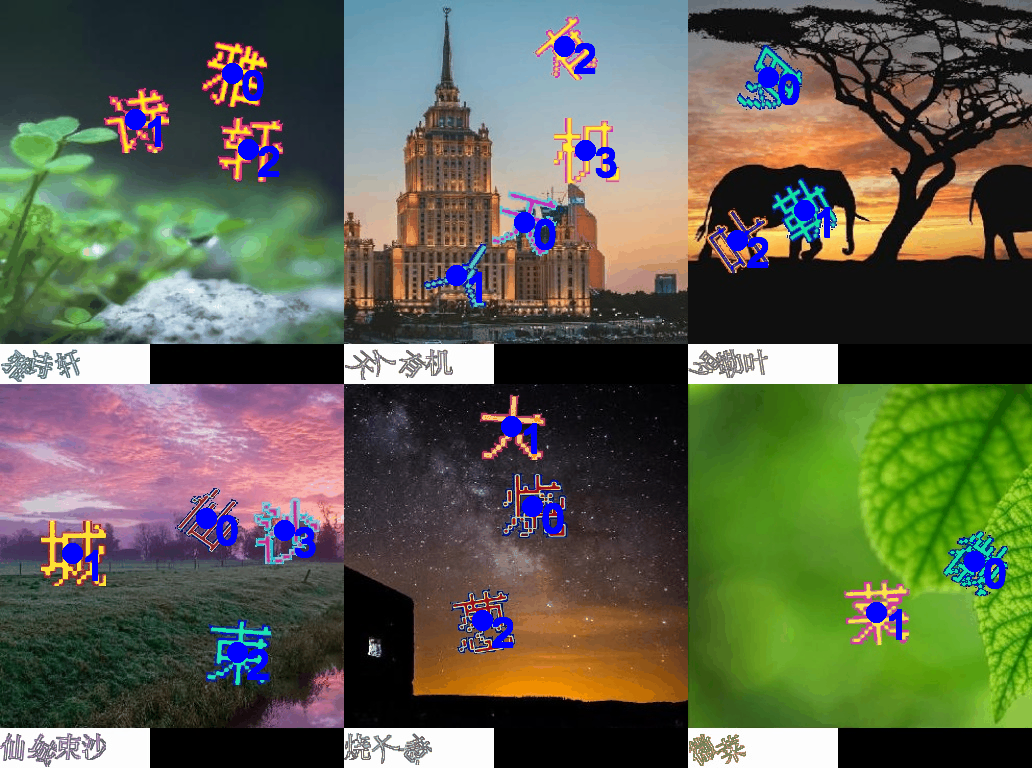
图标点选2
decode_captcha(
    bg: Union[str, Path, Image, ndarray, bytes],
    fg: Sequence[Union[str, Path, Image, ndarray, bytes]],
    show: bool = True,
) -> tuple[str, Optional[Image.Image]]
解码 icon 验证码, 返回点击点坐标和处理后的图片(icon类型2)
Parameters:
| Name | Type | Description | Default |
|---|---|---|---|
bg
|
Union[str, Path, Image, ndarray, bytes]
|
背景图片路径或PIL图像对象 (底图) |
required |
fg
|
Sequence[Union[str, Path, Image, ndarray, bytes]]
|
前景图片路径或PIL图像对象 (按顺序的图标) |
required |
show
|
bool
|
是否显示处理后的图片,默认为True |
True
|
Returns:
| Type | Description |
|---|---|
tuple[str, Optional[Image]]
|
返回点击点坐标和处理后的图像
|
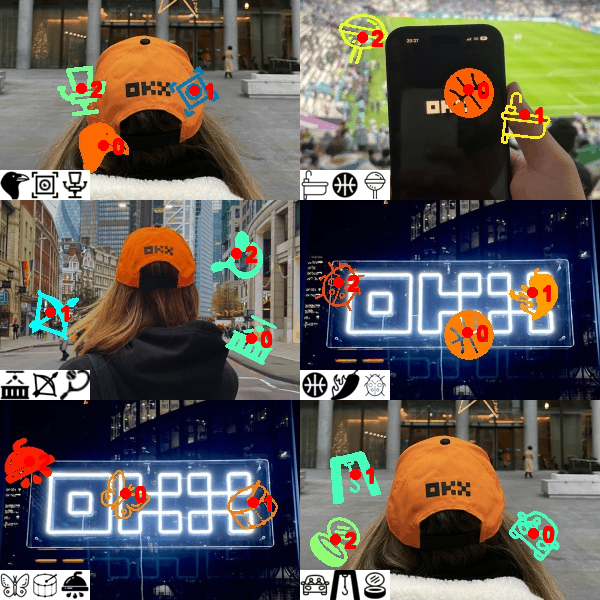
图标点选3
decode_captcha(
    bg: Union[str, Path, Image, ndarray, bytes],
    fg: Sequence[Union[str, Path, Image, ndarray, bytes]],
    show: bool = True,
) -> tuple[str, Optional[Image.Image]]
解码 icon 验证码, 返回点击点坐标和处理后的图片 (icon类型3)
Parameters:
| Name | Type | Description | Default |
|---|---|---|---|
bg
|
Union[str, Path, Image, ndarray, bytes]
|
背景图片路径或PIL图像对象 (底图) |
required |
fg
|
Sequence[Union[str, Path, Image, ndarray, bytes]]
|
前景图片路径或PIL图像对象 (按顺序的图标) |
required |
show
|
bool
|
是否显示处理后的图片,默认为True |
True
|
Returns:
| Type | Description |
|---|---|
tuple[str, Optional[Image]]
|
返回点击点坐标和处理后的图像
|
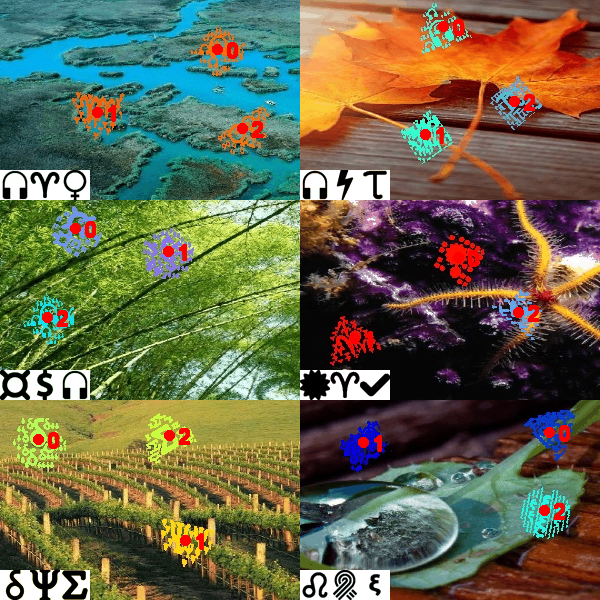
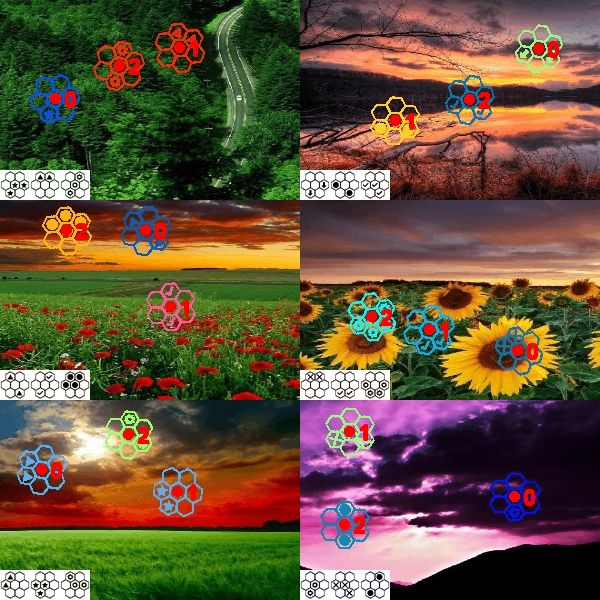
图标点选4
decode_captcha(
    bg: Union[str, Path, Image, ndarray, bytes],
    fg: Sequence[Union[str, Path, Image, ndarray, bytes]],
    show: bool = True,
) -> tuple[str, Optional[Image.Image]]
解码 icon 验证码, 返回点击点坐标和处理后的图片 (icon类型4)
Parameters:
| Name | Type | Description | Default |
|---|---|---|---|
bg
|
Union[str, Path, Image, ndarray, bytes]
|
背景图片路径或PIL图像对象 (底图) |
required |
fg
|
Sequence[Union[str, Path, Image, ndarray, bytes]]
|
前景图片路径或PIL图像对象 (按顺序的图标) |
required |
show
|
bool
|
是否显示处理后的图片,默认为True |
True
|
Returns:
| Type | Description |
|---|---|
tuple[str, Optional[Image]]
|
返回点击点坐标和处理后的图像
|
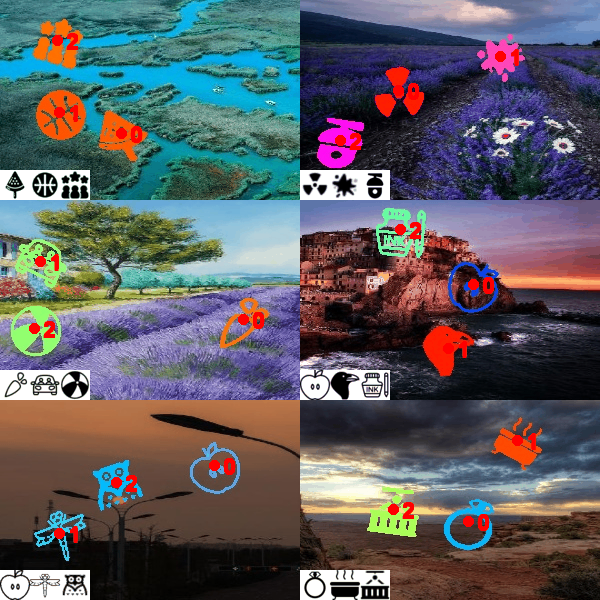
图标点选5
decode_captcha(
    bg: Union[str, Path, Image, ndarray, bytes],
    fg: Sequence[Union[str, Path, Image, ndarray, bytes]],
    show: bool = True,
) -> tuple[str, Optional[Image.Image]]
解码 icon 验证码, 返回点击点坐标和处理后的图片(icon类型2)
Parameters:
| Name | Type | Description | Default |
|---|---|---|---|
bg
|
Union[str, Path, Image, ndarray, bytes]
|
背景图片路径或PIL图像对象 (底图) |
required |
fg
|
Sequence[Union[str, Path, Image, ndarray, bytes]]
|
前景图片路径或PIL图像对象 (按顺序的图标) |
required |
show
|
bool
|
是否显示处理后的图片,默认为True |
True
|
Returns:
| Type | Description |
|---|---|
tuple[str, Optional[Image]]
|
返回点击点坐标和处理后的图像
|
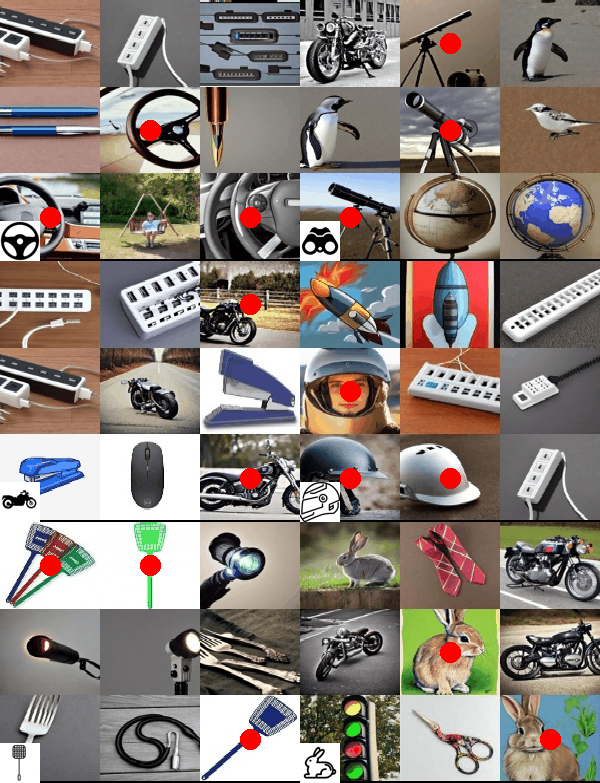
九宫格
九宫格图片中点击符合条件的格子
decode_captcha(
    bg: Union[str, Path, Image, ndarray, bytes],
    fg: Union[str, Path, Image, ndarray, bytes],
    method: str = "1",
    show: bool = True,
) -> tuple[str, Optional[Image.Image]]
解码 geetest4 nine 验证码, 返回点击点坐标和处理后的图片
Parameters:
| Name | Type | Description | Default |
|---|---|---|---|
bg
|
Union[str, Path, Image, ndarray, bytes]
|
背景图片路径或PIL图像对象 (底图) |
required |
fg
|
Union[str, Path, Image, ndarray, bytes]
|
前景图片路径或PIL图像对象 (图标) |
required |
method
|
str
|
匹配方法, 默认为 "1",可选 "1" (精确匹配), "2" (相似度匹配) |
'1'
|
show
|
bool
|
是否显示处理后的图片,默认为True |
True
|
Returns:
| Type | Description |
|---|---|
tuple[str, Optional[Image]]
|
返回点击点坐标和处理后的图像
|
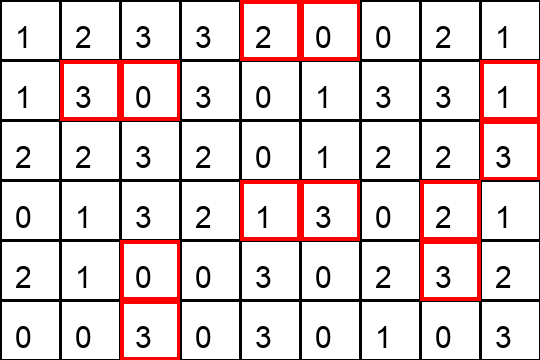
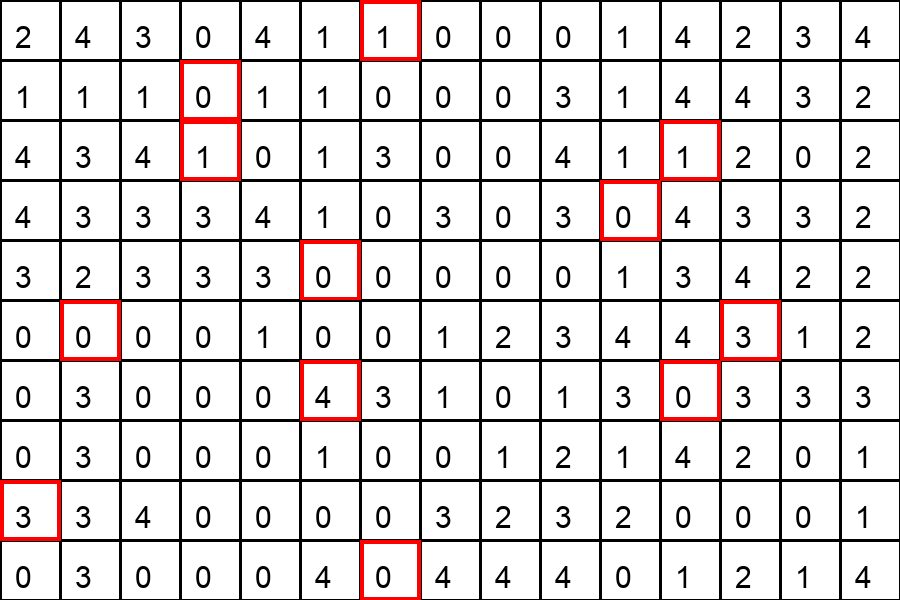
消消乐
通过图像分析判断可消除区域
解码 geetest4 消消乐验证码,通过交换相邻的两个格子,使得某一行或某一列形成三个相同数字的线
Parameters:
| Name | Type | Description | Default |
|---|---|---|---|
array
|
list[list[int]]
|
3x3 数字矩阵,每个元素为 0-9 的整数 |
required |
Returns:
| Type | Description |
|---|---|
Optional[list[tuple[int, int]]]
|
返回交换的两个坐标,如果无法形成线则返回 None
|
五子棋
五子棋类规则判断,点击落子点
解码 geetest4 五子棋 验证码,找到一次交换可以形成五子连线的坐标。
Parameters:
| Name | Type | Description | Default |
|---|---|---|---|
array
|
List[List[int]]
|
5x5 数字矩阵,每个元素为 0-9 的整数 |
required |
Returns:
| Type | Description |
|---|---|
Optional[List[Tuple[int, int]]]
|
返回交换的两个坐标,如果无法形成线则返回 None
|
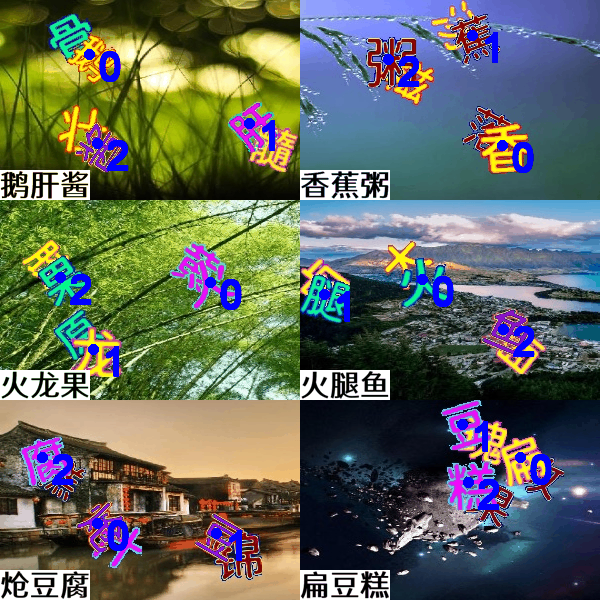
文字重叠
decode_captcha(
    bg: Union[str, Path, Image, ndarray, bytes],
    fg: Sequence[Union[str, Path, Image, ndarray, bytes]],
    show: bool = True,
) -> tuple[str, Optional[Image.Image]]
解码 geetest4 文字重叠验证码, 返回点击点坐标和处理后的图片
Parameters:
| Name | Type | Description | Default |
|---|---|---|---|
bg
|
Union[str, Path, Image, ndarray, bytes]
|
背景图片路径或PIL图像对象 (底图) |
required |
fg
|
Sequence[Union[str, Path, Image, ndarray, bytes]]
|
前景图片路径或PIL图像对象 (图标) |
required |
show
|
bool
|
是否显示处理后的图片,默认为True |
True
|
Returns:
| Name | Type | Description |
|---|---|---|
tuple |
tuple[str, Optional[Image]]
|
包含点击点坐标字符串和结果图像(如果 show 为 True, 否则为 None) |
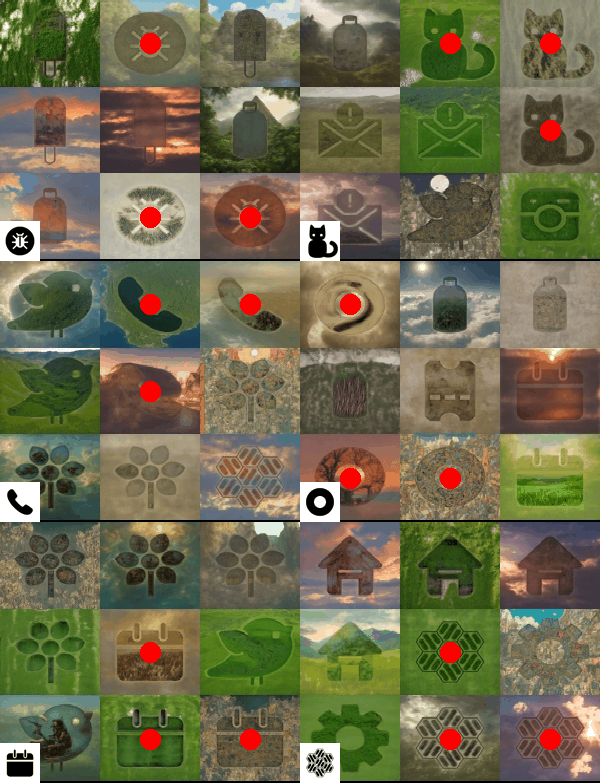
新九宫格
decode_captcha(
    bg: Union[str, Path, Image, ndarray, bytes],
    fg: Union[str, Path, Image, ndarray, bytes],
    method: str = "1",
    show: bool = True,
) -> tuple[str, Optional[Image.Image]]
解码 geetest4 new nine 验证码, 返回点击点坐标和处理后的图片
Parameters:
| Name | Type | Description | Default |
|---|---|---|---|
bg
|
Union[str, Path, Image, ndarray, bytes]
|
背景图片路径或PIL图像对象 (底图) |
required |
fg
|
Union[str, Path, Image, ndarray, bytes]
|
前景图片路径或PIL图像对象 (图标) |
required |
method
|
str
|
匹配方法, 默认为 "1",可选 "1" (精确匹配), "2" (相似度匹配) |
'1'
|
show
|
bool
|
是否显示处理后的图片,默认为True |
True
|
Returns:
| Type | Description |
|---|---|
tuple[str, Optional[Image]]
|
返回点击点坐标和处理后的图像
|
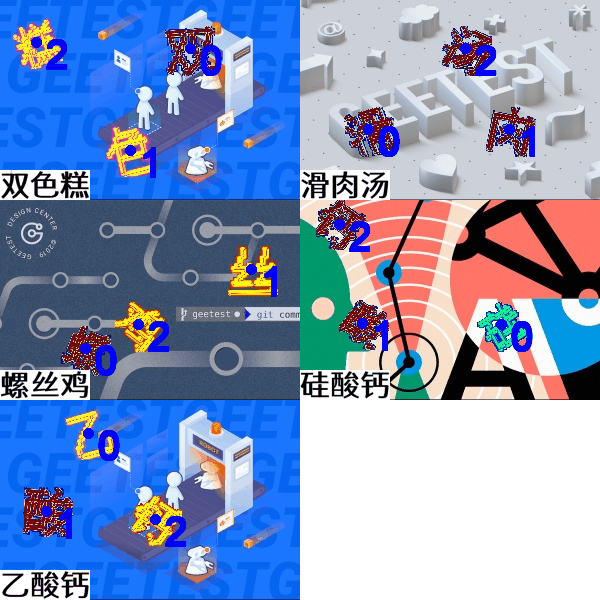
文字点选
decode_captcha(
    bg: Union[str, Path, Image, ndarray, bytes],
    fg: Sequence[Union[str, Path, Image, ndarray, bytes]],
    show: bool = True,
) -> tuple[str, Optional[Image.Image]]
解码 geetest4 文字重叠验证码, 返回点击点坐标和处理后的图片
Parameters:
| Name | Type | Description | Default |
|---|---|---|---|
bg
|
Union[str, Path, Image, ndarray, bytes]
|
背景图片路径或PIL图像对象 (底图) |
required |
fg
|
Sequence[Union[str, Path, Image, ndarray, bytes]]
|
前景图片路径或PIL图像对象 (图标) |
required |
show
|
bool
|
是否显示处理后的图片,默认为True |
True
|
Returns:
| Name | Type | Description |
|---|---|---|
tuple |
tuple[str, Optional[Image]]
|
包含点击点坐标字符串和结果图像(如果 show 为 True, 否则为 None) |
文字语序
decode_captcha(
    bg: Union[str, Path, Image, ndarray, bytes],
    method: Literal["1", "2"] = "1",
    show: bool = True,
) -> tuple[str, Optional[Image.Image]]
解码 DX 语序验证码,根据图片内容,自动检测点击点
Parameters:
| Name | Type | Description | Default |
|---|---|---|---|
bg
|
Union[str, Path, Image, ndarray, bytes]
|
背景图,可以是路径、PIL对象、OpenCV图像或原始字节。 |
required |
method
|
Literal['1', '2']
|
处理方法,默认为 "1".
|
'1'
|
show
|
bool
|
是否返回可视化图像。默认为 True。 |
True
|
Returns:
| Type | Description |
|---|---|
tuple[str, Optional[Image]]
|
返回点击点坐标和处理后的图像
|